

Content Pruning SEO: Why Updating Old Content Can Improve Your Website Performance
Author: KUMO Studio
Having lots of content doesn't always mean better results. Sounds odd, right? But it can create problems you may not notice. Hundreds or even thousands of articles show you're consistent, yet some older posts may be outdated or compete for the same keywords.
When that happens, search engines and audiences may see your content as less useful and less relevant. So you need to "prune" some of it to help your website perform better. In this blog, we'll explore content pruning for SEO and the best practices for doing it effectively. Let's get started.

What Is Content Pruning in SEO?
Content pruning is the process of removing pages from your website that no longer serve a purpose. That's the definition you'll find if you search for content pruning on Google. But honestly, we don’t fully agree that content pruning is only about deleting. If a page has no value, traffic, or backlinks, deleting it might make sense. But what about pages that still have potential? Instead of deleting them, you can:
- Update it if the topic is still useful but the information is old
- Merge it with similar articles, especially if they target the same keyword, to create one stronger page
- Redirect it to a more relevant page if it has backlinks or past traffic
So, for us, content pruning is the process of reviewing every page and giving it the right treatment.

Why Do Websites Need Content Pruning?
Imagine you planted a garden. At first, everything was neat. Every plant had its place, and you knew what was growing where. But you kept adding new ones and neglected the rest. Now some plants have dried up, a few are fighting over the same patch of soil, and the weeds are starting to hide the flowers you actually care about.
Websites grow the same way. Over time, pages become outdated, and new articles end up overlapping with old ones. Outdated pages make your site look neglected and hard to trust. Articles targeting the same keyword force search engines to guess which one to show. Thin, low-value pages crowd your best content and use up the limited time search engines spend on your site.
If you don't act, your SEO content may never reach the top position and your high-performing, important pages will struggle to stand out.

Red Flags That Your Website Needs Content Pruning
Content pruning is especially valuable for larger websites with thousands of pages, but smaller websites can benefit from it too. The question is how to tell when your site needs it. Watch for these red flags:
- Your traffic is flat or dropping even though you keep publishing. When your website isn't attracting more visitors despite publishing new pages, it may be time to review the quality and relevance of your existing content.
- Many pages get little or no traffic. Open Google Search Console or Google Analytics and look at the last 12 months. Pages with few or no clicks for that long need evaluation.
- Several articles target the same keyword. If two or three of your own pages keep switching places in the search results, they're likely competing with each other (keyword cannibalization).
- Outdated or inaccurate information. Old statistics, discontinued products, expired promotions, or tips that no longer apply all signal that a page needs an update or removal.
- Thin or low-quality pages. Posts that are short on information and written just for a keyword rarely help audiences or your search rankings.
- Off-topic pages. Content that no longer matches your business or audience, maybe because you rebranded or changed your tone and voice, can make your website feel inconsistent.
- Indexing problems in Google Search Console. If many pages are marked "Crawled - currently not indexed" or "Discovered - currently not indexed", Google has looked at them but didn't add them to its index. The cause is often poor internal linking, outdated content, or duplicate content.
- High bounce rates and low engagement. Visitors who leave without reading or clicking anything may be telling you the content doesn't match what they searched for.
Spotted two or three of these symptoms on your own site? Then it's ready for content pruning. Let's break down how to do it.
How to Do Content Pruning (Step by Step)
In 2023, Google stated on X (formerly Twitter) that it doesn't recommend removing articles just because they're old. Older content can still be useful to audiences, and age alone isn't a reason to cut it. Content pruning can help Google crawl your site more efficiently, but only if you have a clear strategy and a good reason for each decision. Here are the steps to follow:
Step 1: List All Your Pages
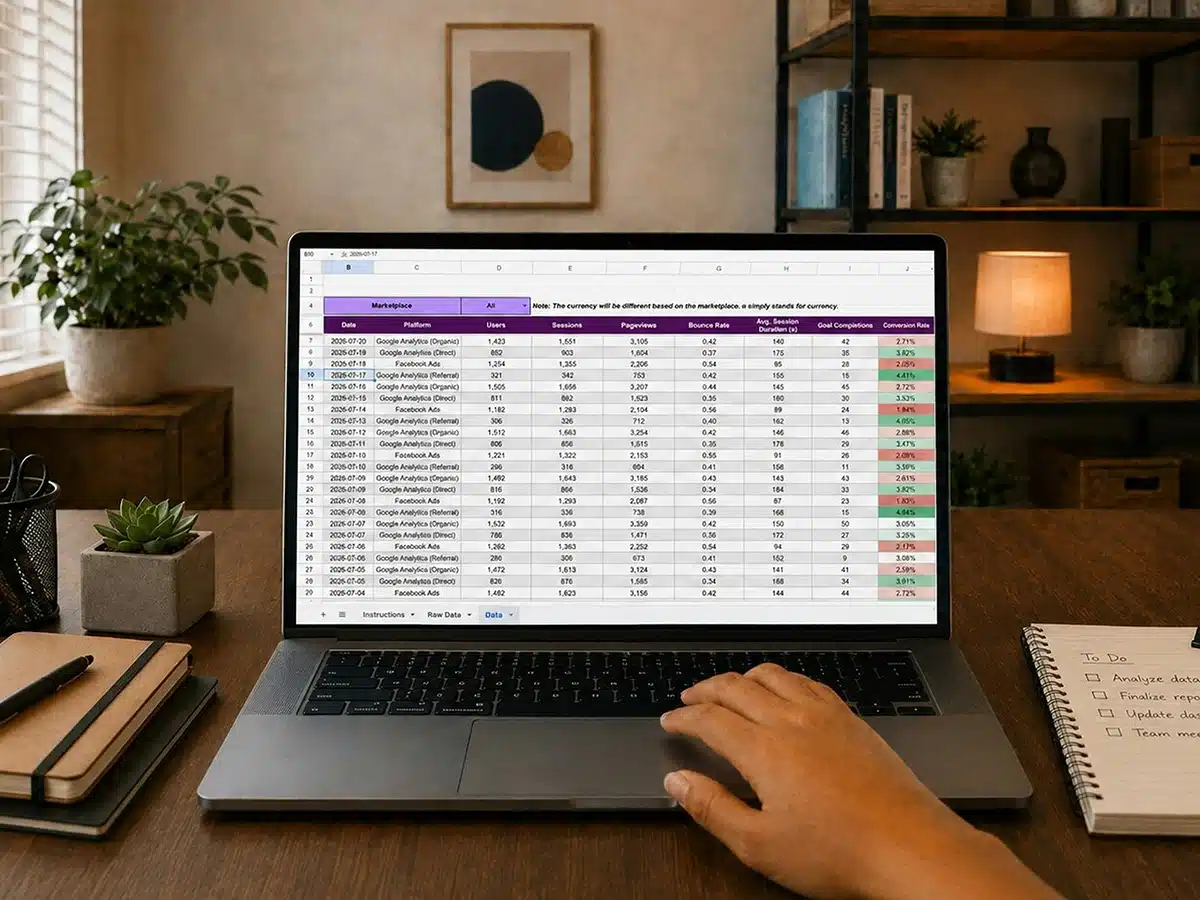
The first step is to create a content inventory (a full list of all the content on your website). Crawl your site with a tool like Screaming Frog or Ahrefs Site Audit, then export the complete list of URLs into a spreadsheet.
Along with each URL, try to collect the title, page type (blog, product, category), word count, and publish or last updated date. This makes it much easier to spot old or thin pages later. Also check your sitemap and CMS for pages the crawler may have missed, such as orphan pages that have no internal links.
Step 2: Add Performance Data
Pull the numbers from Google Search Console and Google Analytics and add them next to each URL:
- Organic traffic and clicks
- Impressions and average position
- Conversions or leads (if you track them)
- Backlinks and referring domains from a tool like Ahrefs
Use at least the last 12 months of data to make sure seasonal pages don't look weaker than they are. Backlink data matters too. A page with little traffic but strong links from other sites still carries link equity, so you don't want to delete it by mistake.
Step 3: Spot the Underperforming Content
Now filter your spreadsheet to find the pages worth a closer look. Start with the ones that match the red flags above: low or no traffic, thin content, outdated information, overlapping keywords, or indexing problems.
Pro tip: Don't judge by traffic alone. Check conversions before you decide anything, as a low-traffic page might still bring in leads. Also, open the page and read it. Numbers show you where to look, but your own judgment tells you why it's underperforming.

Step 4: Give Each Page the Right Treatment
Depending on the situation, you can choose from these options for each page:
| Situation | Action |
|---|---|
| Page has potential but is outdated | Update and refresh |
| Multiple pages cover the same topic | Merge them into one page and 301 redirect the others |
| Page has backlinks but few visitors | 301 redirect to the closest relevant page to preserve link equity |
| Page has no value, traffic, or links | Delete (404 or 410) |
| Page is needed for users but not for search | Keep it and add noindex |
A few tips for each choice:
- Update: Refresh facts and statistics, improve the site structure (metadata, headings, internal links, schema markup, etc.), add original insight or examples, and republish with a new date.
- Merge: Keep the strongest URL and move the best parts of the other articles into it, then redirect the old URLs to it.
- Redirect: Always send the page to the most relevant alternative with a 301 redirect, not just to your homepage. A mismatched redirect can confuse audiences and search engines.
- Delete: A 410 tells search engines the page is gone for good, while a 404 says it's not found. Both work, but pick one and stay consistent.
- Noindex: Useful for pages visitors need, like thank-you pages or internal search results, but that don't belong in search.
Another pro tip: If your site has hundreds of pages, try rolling out one batch at a time. It's slower, but it makes the results much easier to read. When traffic changes, you'll know which batch caused it.
Step 5: Monitor the Results
Once your changes go live, keep an eye on Google Search Console for at least two to three months. Rankings can take a while to settle, so a small dip at the start doesn't always mean something went wrong.
What you want to see is this: the pages you kept or updated start earning more impressions and clicks, redirected URLs pass their traffic on to the new pages, and your indexing report slowly gets cleaner. If that's happening, your treatment is working!
Plus, make content audit a habit. Doing it once or twice a year keeps your website from becoming overgrown again.
Real Case Example: KUMO's Approach to Refreshing Outdated Content on Berto Roaster's Blog
Berto Roaster is one of our clients. They sell coffee roasting machines and also publish an educational blog post about roasting. The blog reaches people who are still learning before they invest in equipment, making it important for its articles to show up in search results.
When we checked Google Search Console, we ran into the indexing problem from our red flags list. Three articles were marked "Crawled - currently not indexed," meaning Google had visited them but chose not to add them. A fourth was marked "Discovered - currently not indexed," meaning Google knew the page existed but hadn't visited it yet.
The articles still had potential, and the topics were still relevant to the audience. So, instead of removing content, we took the update route with two changes:
- Add internal links
These articles were hard to reach because few related posts led to them. We added links from relevant, already indexed pages to help Google and readers see where each article fits. - Replace old research
A few sections still relied on older studies and figures. We swapped them for newer research to help strengthen the trustworthiness and authority of each article.
Time to Tidy Up Your Website Content
Your content reflects every stage your website has been through. Along the way, your business grows, the market shifts, and you launch new products or services. That's a good reason to give your existing content the same attention as the new pieces, because older posts may be the reason you got here in the first place.
Start by checking what's on your site, then follow the steps above. If you have a large website and it feels like too much to handle alone, getting help from SEO professionals is a practical option.
At KUMO Studio, our SEO services include content optimization to keep your content relevant and valuable. Let’s make your website perform better in search. Get in touch today!

Ready to bring your goals to life?
